Solve fast-paced arrow escape puzzles directly in your browser.
Arrow Game is a free, fast-paced browser-based arrow puzzle game built around one simple question: which arrow has a clear path off the board? This online arrows game is ready to play as soon as the page loads, with no lengthy menus, account creation, or download required. Each level arranges arrows on a compact board, with every arrow pointing up, down, left, or right. Tap an arrow when it has a clear path to the edge, and it will leave the board to create space for the arrows behind it. If you tap an arrow while its path is blocked, it cannot leave the board and you lose a heart. Study the full layout, clear the open paths first, and plan each move so it creates the next escape route.
Levels are short enough for a quick break, but crowded boards still reward careful planning. Whether you think of it as an arrow puzzle, arrow escape, or arrow out game, the satisfying rhythm is the same: make one smart move, open a new lane, and gradually clear every arrow.
Clearing levels earns coins, and longer combos increase your reward. A released arrow may also reveal a gift containing a useful item, such as a hint or an Unstoppable Arrow that lets your next arrow break through anything blocking its path. Between levels, you can spend coins on skill upgrades. For example, upgrading Big Gift increases the value of the items you may receive when a safe arrow escapes. Max out your skills and buy enough items to build a generous stockpile of hints and Unstoppable Arrows for the toughest boards.
If you run out of hearts, submit the highest level you reached to the leaderboard and compare your progress with other players. You can also take on a new daily boss challenge. Together, these systems add variety to the 1,000-level campaign while keeping this lightweight Arrows Game easy to enjoy on desktop and laptop computers, tablets, and mobile phones.
Arrow Game Screenshots: Challenging Arrow Puzzle Levels
These Arrow Game screenshots show how every challenge board turns dense arrow paths into a playable escape puzzle. Each arrow points in one direction, and every level asks you to find the safest order for clearing the board.
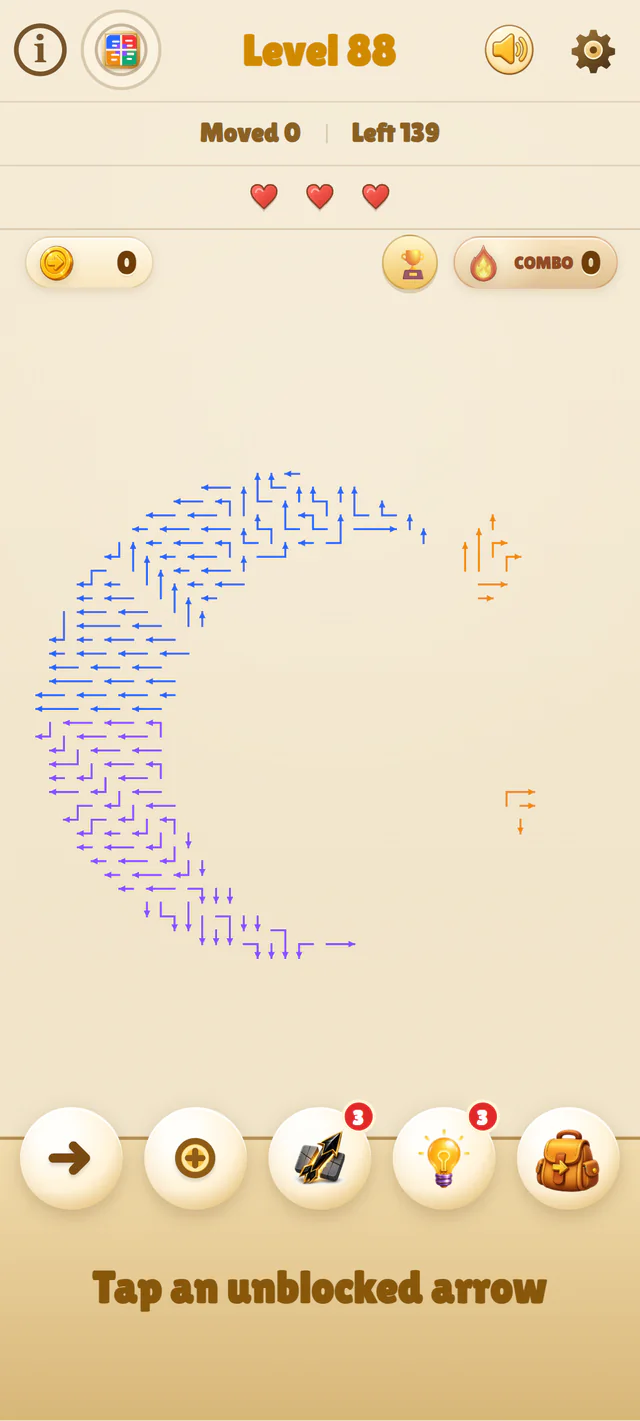
Crescent Moon Escape
The crescent moon board uses curved arrow paths and asks players to clear the small stars before opening the larger shape.
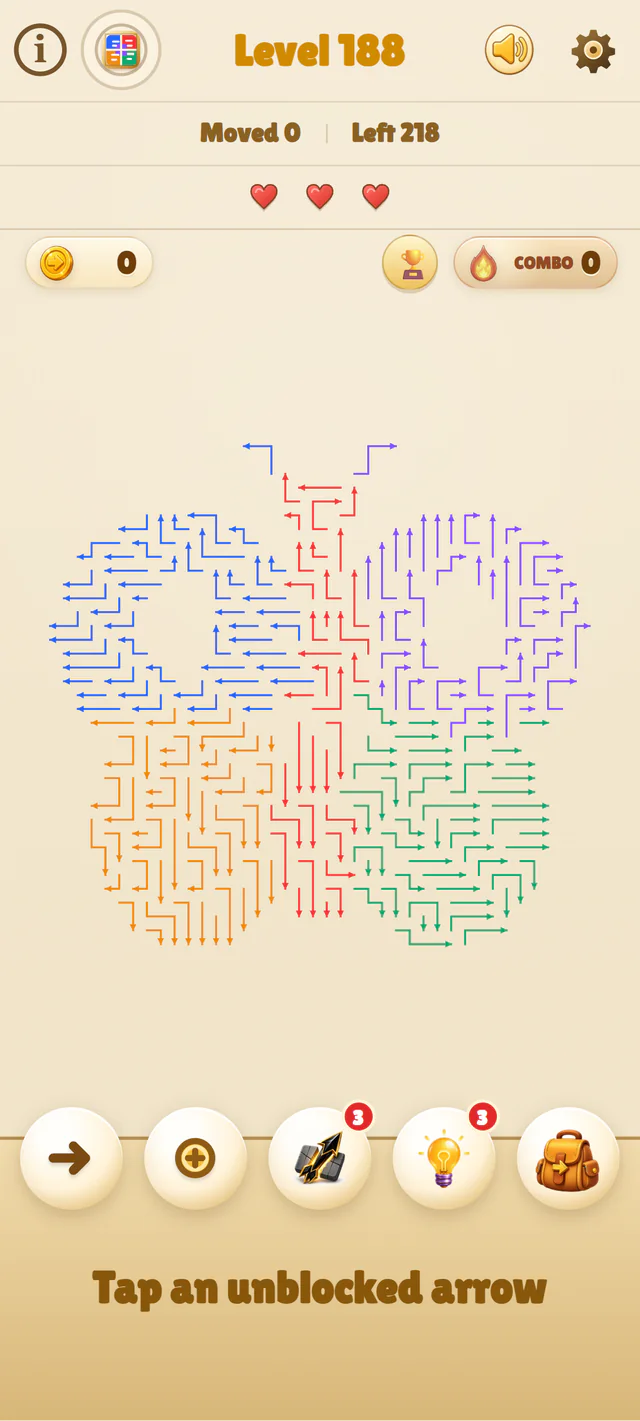
Butterfly Wings
The butterfly board combines dense, symmetrical arrow paths and asks players to open safe routes from the wings toward the center.
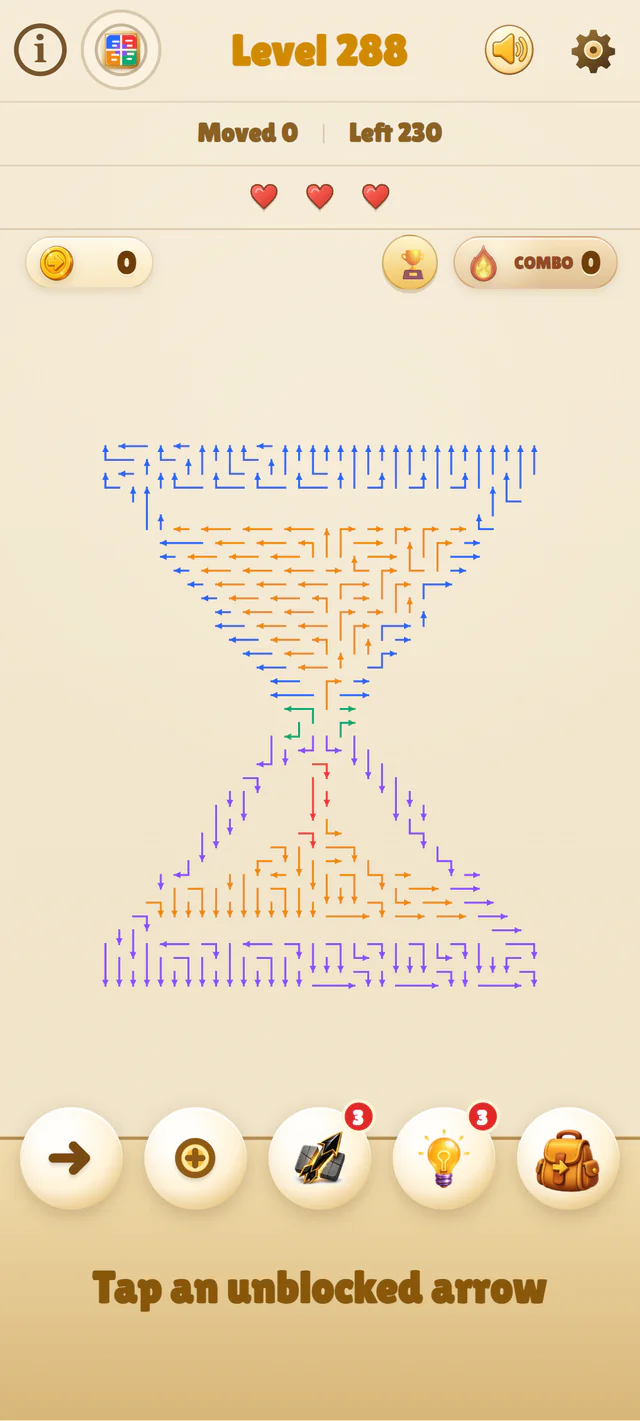
Falling Sand Hourglass
The hourglass board narrows at the center and creates a tighter sequence of arrow escape decisions between its upper and lower sections.
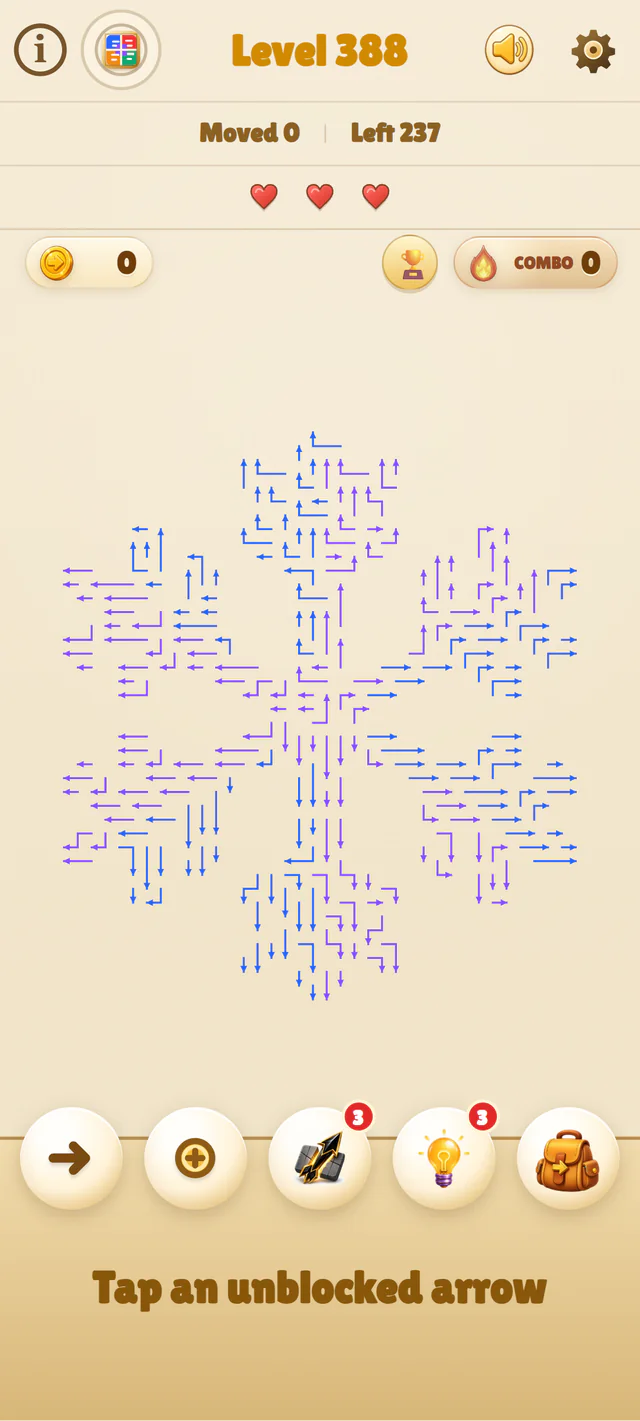
Six-Point Snowflake
The snowflake board spreads mirrored arrow paths across six branches and asks players to scan several safe exits at once.
How to Play Arrow Game
Start With a Clear Exit
Begin by scanning the arrows near the outside of the shape. Follow the direction of each arrowhead all the way to the edge of the board. If no other arrow blocks that route, tap it to send it off the board. Edge arrows are often useful starting points, but they are not automatically safe—the entire path in front of the arrow must be open.
Turn Each Escape Into the Next Move
When an arrow leaves, it opens a lane that may free one or more arrows behind it. Check the same row or column again before moving to another part of the board, and remove the front arrow first when several arrows point along the same route. A blocked tap costs a heart and breaks your combo unless a Shield is active, so trace the full path instead of guessing. If the board still feels locked, use a Hint to release a legal arrow or arm an Unstoppable Arrow to break through a crowded lane. Continue until every arrow has escaped.
Play Arrow Game on PC, Windows, Tablet, or Phone
Play Online on Windows and Mac
Arrow Game runs directly in a modern web browser, with no installer, download, or account required. On a desktop or laptop—including Windows 10, Windows 11, and macOS—open the page and use a mouse or trackpad to inspect the board, release arrows, and access hints, items, upgrades, and the leaderboard. The first puzzle appears as soon as the page loads, so players looking for an Arrow Game download can start playing online instead of installing a separate app.
Touch Controls for Phones and Tablets
On phones and tablets, Arrow Game uses large tap targets and keeps the board and essential controls together in the main game view. Tap an arrow to release it, tap an item in the bottom toolbar to use it, or pinch to zoom and drag the enlarged board when a crowded layout needs a closer look. The page stays fixed while you play, so normal gestures inside the game will not accidentally pull you away from the board. Tap the ? at the upper left to open the game guide. At the end, you can follow a link to the full guide below the game.
What Makes Arrow Game Different?
Useful Items for Difficult Boards
When the arrow you want to release is trapped behind a crowded lane, arm an Unstoppable Arrow from the toolbar. The next arrow you tap will pierce through and destroy every arrow blocking its path. If you are unsure which move is safe, use a Hint and the game will automatically find and release a legal arrow. Trying to protect a long combo? A one-shot Shield absorbs one blocked tap before disappearing. After clearing a level, visit the shop to buy another Shield or Unstoppable Arrow for the boards ahead.
Grow Stronger Between Levels
After each clear, spend the coins you earned to upgrade your skills. Raise Lucky Clover to place more gifts among the arrows, then upgrade Big Surprise to improve the chance of receiving higher-tier rewards such as Hints and Unstoppable Arrows. Other upgrades can increase your combo rewards or automatically release several safe arrows when you reach a combo milestone. Choose your upgrades carefully, build a useful supply of items, and prepare for the most crowded boards in the 1,000-level campaign.
Arrows Game, Arrows Go, Arrow Puzzle, Arrow Escape, and Arrow Out
Players use many different names when looking for this kind of directional board-clearing game. Some call it Arrows Game, Arrows Go, or an arrows go game. Others search for Arrow Puzzle, Arrow Escape, Arrow Out, or Arrow Exit Puzzle when they want a game where arrows go off the board one by one. These phrases describe the same basic play pattern: follow each arrow’s direction, find a clear path off the board, and remove every arrow in the right order. In this Arrow Game, each safe move opens new escape routes, while tapping an arrow with a blocked path costs you a heart.
This Arrow Game builds on that idea with 1,000 levels, hearts, combos, coins, upgradeable skills, useful items, daily boss challenges, and a leaderboard. It plays directly in your browser on PC or mobile, with no download or account required. The playable board appears before this guide so you can begin immediately, then return here whenever you want to learn the rules, improve your strategy, or understand the different names used for this type of arrow escape game.
Why Clearing an Arrow Game Board Feels So Satisfying
A crowded arrow puzzle can look impossible at first, yet every part of the solution is already visible on the board. Each arrow shows the direction it wants to travel; your task is to identify which paths are open now and which blockers must leave first. Removing the right arrow makes the layout easier to read, reveals another safe exit, and can begin a satisfying chain of successful moves. Because progress comes from understanding the board rather than guessing or outside knowledge, every clear feels earned.
In this Arrow Game, that satisfying rhythm also drives your progression. Consecutive safe moves build your combo and increase your coin rewards, while released arrows may reveal gifts containing useful items. Hearts make blocked taps matter, but Hints, Shields, and Unstoppable Arrows give you different ways to recover or break through a difficult route. Across 1,000 levels, the boards grow from quick, readable puzzles into denser challenges that reward patience, planning, and a well-timed item.
Frequently Asked Questions About Arrow Game
Is Arrow Game free to play online?
Yes. Arrow Game is free to play directly in your browser, with no payment, download, installation, or sign-up required.
Do I need an Arrow Game or arrows go game download?
No. Open the page in a modern browser and the first puzzle will appear immediately. You can play online without installing a separate Arrow Game or Arrows Go app.
Are Arrow Game, Arrows Game, Arrows Go, Arrow Out, and Arrow Exit Puzzle the same game?
Players often use these names when looking for the same type of directional board-clearing puzzle, but they do not always refer to the same product. This Arrow Game has its own 1,000 levels, interface, items, skills, daily boss challenges, and leaderboard.
How do I play Arrow Game?
Find an arrow with a clear path in the direction it points, then tap it to send it off the board. Each successful move can open a route for another arrow. Clear every arrow to complete the level, but remember that tapping an arrow while its path is blocked costs you a heart.
Can I play Arrow Game on PC or mobile?
Yes. Arrow Game works in modern browsers on Windows and Mac computers, phones, and tablets. Use a mouse or trackpad on desktop and touch controls on mobile. You can also pinch to zoom and drag an enlarged board when you need a closer look.
How many Arrow Game levels are there?
The main campaign contains 1,000 levels. Early arrow puzzles introduce open paths and simple shapes, while later boards become denser and require more careful planning.
What do Hints, Shields, and Unstoppable Arrows do?
A Hint finds and releases a safe arrow. A Shield protects you from one blocked tap, while an Unstoppable Arrow allows your next selected arrow to destroy anything blocking its path. You can obtain items from gifts or buy them between levels.
How can I get better at Arrow Game?
Trace the complete path in front of an arrow before tapping it. Start with easy-to-check exits, revisit the same row or column after each move, and look for short chains in which one blocking arrow must leave before another. Save your items for dense boards with several overlapping routes.
Play Arrow Game Now and Plan Your Best Route
The fastest way to understand Arrow Game is to play it. Begin with the clear exits, watch each safe move open a new route, and learn how the board changes one arrow at a time. As the puzzles become denser, trace the blockers, protect your hearts, build longer combos, level up your skills, and spend coins on the items you need. Save Hints and Unstoppable Arrows for the moments when planning alone is not enough. Return to the board and see how far you can progress through the 1,000-level campaign.