How to play Arrows Go
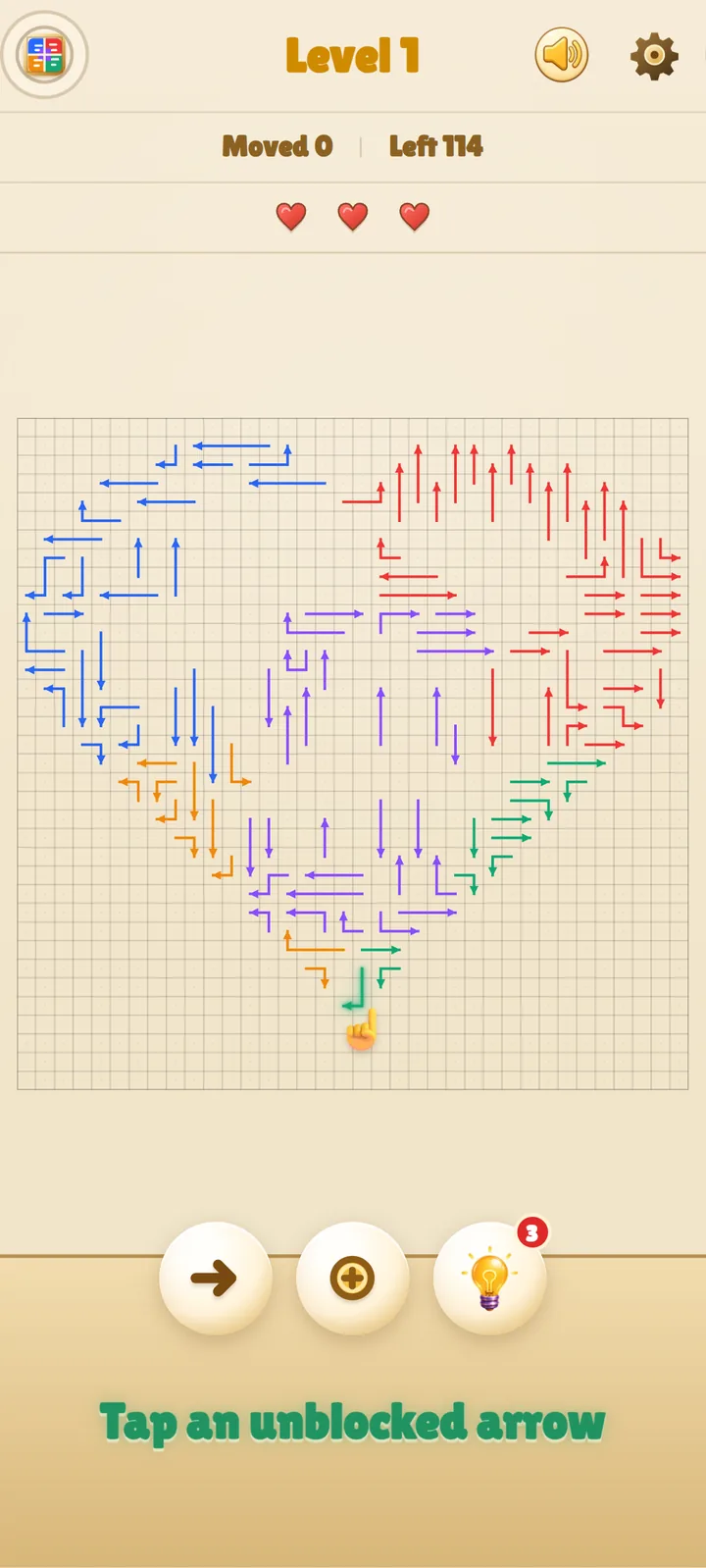
Each arrow can leave only in the direction it points. Before you tap, trace its path all the way to the edge. If another arrow crosses that lane, choose a different move first. Clear every arrow to complete the level.
Free Arrows Go browser game
Start Arrows Go in your browser and play at your own pace. The rule is simple: find an arrow with an open path to the edge, tap it away, and repeat until the board is clear.
Each arrow can leave only in the direction it points. Before you tap, trace its path all the way to the edge. If another arrow crosses that lane, choose a different move first. Clear every arrow to complete the level.
Start with arrows near the edge of the shape, where open paths are easier to spot. Clear those first, then work inward to untangle the crowded arrows at the center.
Tapping a blocked arrow costs one heart. Completing a level restores one heart, up to the limit of three.
You can carry up to three hints and regain one after each cleared level. Each hint highlights one safe arrow for you to tap.
You do not need to plan the whole board at once. Confirm one open lane, remove that arrow, and scan the new shape. Each safe move can reveal several routes that were blocked before.
Outward-facing arrows near an edge have short paths that are quick to verify.
If an arrow cannot leave, trace the line in front of it until you find a different arrow with an open exit.
When several paths overlap, a hint can mark a safe move and help you protect your remaining hearts.
Yes. You can play Arrows Go online for free in your browser.
Arrows Go includes 1,000 numbered puzzle levels.
Yes. Arrows Go runs directly in a modern PC browser with no download, installation, or sign-up required.